There is no need to worry about the necessity of HP Battery Replacement in an HP laptop, as with the required guidelines and assistance, it will be a simple and satisfying undertaking. Teaching the correct process of replacing the battery will make the process of having a consistent power source easier, and the time it takes to use the HP laptop will be less time-consuming if one does not employ a professional to replace the battery.
Understanding When An HP Battery Needs Replacement
It is noteworthy that one should identify that the battery actually requires changing before beginning the replacement process. Objects in the system, such as rapid battery drain, use of the laptop when it is connected or when not connected, overheating, or even the operating system warning messages. An HP laptop battery usually becomes worn out and ineffective in a number of years of usage, in which case, replacement is the most sensible option for recovering the performance.
Preparing for HP Battery Replacement
It is well prepared to make a safe and smooth replacement process. The laptop must be fully shut, and no external source of power must be plugged into it. All the other devices connected like USB drives or external monitors need to be taken out. Operating on a clean and flat surface will minimize possible accidental operations of small parts.
Removing the Old HP Laptop Battery
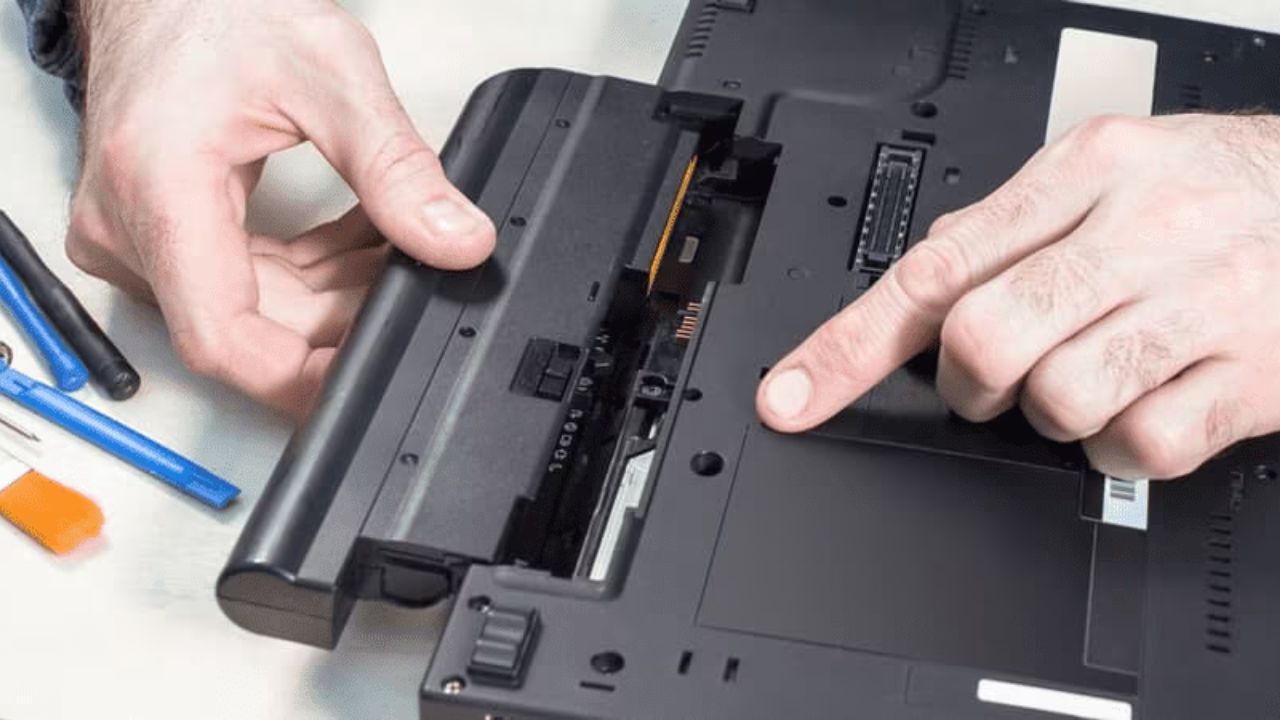
Removal of the old battery will depend on the type of battery used in a laptop, the external battery, or the internal battery. In the case of models that have an external battery, the unlocking of the release latches on the bottom of the laptop is required, and then the battery is removed with ease. In the case of laptops that have built-in batteries, the rear cover must be wedged out. After the cover is removed, the battery is normally screwed down and attached to the motherboard through a cable. The connector can be detached very slowly and the battery removed, so that internal components are not damaged.
Installing the New HP Battery Correctly
Once the old battery is taken out, the new HP battery ought to be placed in the same position as the one before. The connector has to be properly matched and securely and gently screwed to the motherboard. The tightening of screws must not be excessive and must be tight to ensure that the battery remains intact without being pushed too hard. After the battery is installed, the back cover of the laptop is available to be reattached, and all the edges are to be aligned.
Powering On and Testing the Replacement Battery
Once the installation is complete, one can switch the power on to the laptop to check that the battery is functioning well. Connecting the charger and letting the battery charge at all times helps in making sure that the system recognizes the new battery. The percentage and the charging indicator of the battery must rise slowly. The replacement was a success in case the laptop boots up normally and charges normally.
Calibrating the New HP Laptop Battery
Calibration of batteries is significant in determining the correct power levels. One should discharge the battery and then unplug the laptop, and it should be left to run till the battery is nearly exhausted. Recharging it to 100 percent will bring the battery to the same level as the power management software of the system.
Safety Tips for Beginners: Replacing An HP Battery
One should always put safety first when replacing batteries. Replacement batteries made only of high-quality materials that are oriented to HP laptops lower the chances of overheating or damage. Mishandling of the battery and touching metal objects can cause short-circuiting, which is to be avoided. Should resistance occur during installation, components are not to be forced; otherwise, permanent damage may occur.
Benefits of Replacing An HP Battery at Home
As a novice, a home battery replacement has a number of benefits associated with an HP laptop. It saves money on any repair services, gives a better idea of the device, and gives mobility and productivity back. Battery replacement is relatively quick, and with new HP laptops that are easier to maintain, a battery can be changed in under 20 minutes.
Conclusion
It is simple to replace batteries in HP because there are simple steps that one can follow. Users can ensure that they recover the normal power output of their laptops safely by learning the indicators of battery malfunction, preparing, and adhering to good installation procedures. Replacement of the HP battery is not only a way of enhancing reliability but also enhancing the general life of the laptop, and therefore is one of the important skills that any owner of the HP laptop should have.